Follow one carton through the building.
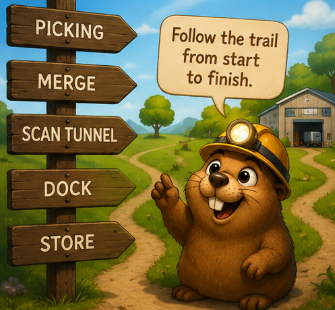
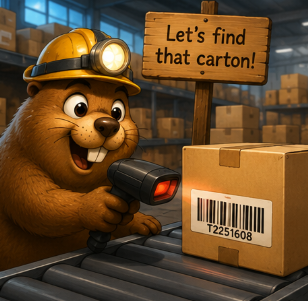
Scan or type a carton ID and Swift Data Digger shows every place it was seen: Picking, Merge, Scan Tunnel, Dock, and Store.
Swift Data Digger helps operations teams trace cartons, reconcile waves, and compare scan points side-by-side so the last known location is easy to see.

The suite is built around the real questions people ask when a carton, order, or wave does not look right.
Where has this carton been?
Did this wave complete?
What was scanning at the same time?
Scan or type a carton ID and Swift Data Digger shows every place it was seen: Picking, Merge, Scan Tunnel, Dock, and Store.

Real operations get messy. Swift Data Digger is useful when the data trail is incomplete, duplicated, out of order, or split between systems.

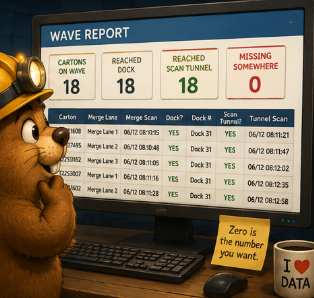
When a wave is supposed to be complete, the report gives a quick health check and shows the cartons that still need attention.

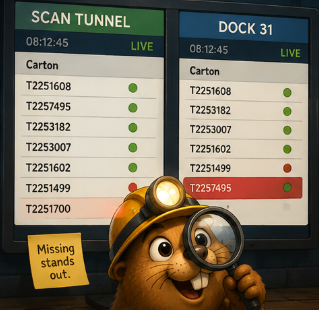
A missing carton is easier to solve when every stage is shown in order. The last green check is where the investigation starts.

When one side has a carton and the other does not, the row is highlighted. Click a row to find the matching carton, or jump to the nearest scan in time.
| 08:12:41 | T2251608 |
| 08:12:42 | T2257495 |
| 08:12:44 | NOREAD |
| 08:12:51 | T2251561 |
| 08:12:53 | T2251499 |
| 08:13:02 | T2251608 |
| 08:13:08 | T2257495 |
| 08:13:12 | T2251499 |
| 08:13:18 | T2299999 |
| 08:13:21 | T2253182 |

Find the last stage with a good scan and the first stage where the carton disappeared.
Confirm whether the barcode exists anywhere in the available history.
See counts for cartons on wave, reached dock, reached tunnel, and missing somewhere.
Spot NOREAD rows and see what cartons were moving nearby in time.
Compare all docks or a selected dock to find cartons on the wrong side.
Use clean print views for the person on the floor, supervisor, or customer conversation.